
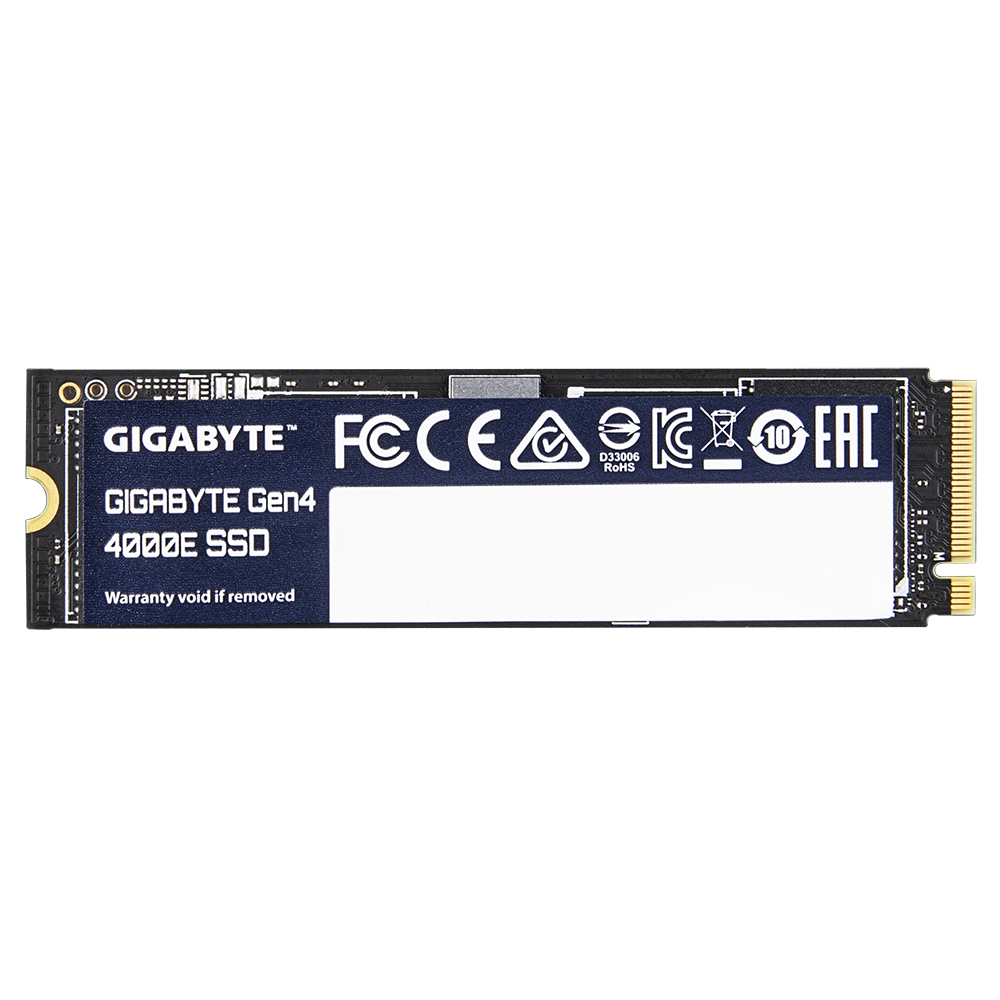
Gigabyte Gen4 4000E - 1 TB - SSD
€173,74
The Benefits of upgrading to PCIe Gen4.0 x4 SSDs
Here are 3 key benefits for those looking to upgrade their PC with PCIe 4.0 x4 SSDs.
1. Motherboard support PCIe 4.0 x4 SSD becomes mainstream
Many motherboards support the PCIe 4.0 x4 M.2 slot, from Intel Z490 to AMD X570 and beyond. With the widespread adoption of the PCIe 4.0 x4 M.2 slot in motherboards, upgrading your computer for greater efficiency has become easier. The GIGABYTE Gen4 4000E SSD is the first choice when it comes to boosting performance.
2. Improved performance for users
The performance boost offered by PCIe 4.0 x4 SSDs goes beyond gaming. For power users who are busy with data processing, file transfers and multitasking, the higher bandwidth of PCIe 4.0 significantly improves the overall performance of the PC. Whether you're managing large data sets or handling intensive tasks, PCIe 4.0 provides a smoother and more responsive user experience.
3. Faster operating system speed
The increased bandwidth of PCIe 4.0 SSDs results in a faster operating system. Expect instant boot times and fast loading of programmes when using Windows OS. This improvement in everyday usability enhances the overall user experience.
Unleash the Power of PCIe 4.0 x4 and NVMe 1.4
Boasting a PCIe 4.0 x4 interface and adhering to the NVMe 1.4 specification, GIGABYTE Gen4 4000E SSD offers a sequential read speed of up to 4,000 MB/s and a sequential write speed of 3,900 MB/s. Whether you're gaming, creating content, or handling large files, GIGABYTE Gen4 4000E SSD ensures swift and seamless operations.
Host Memory Buffer (HMB)
The Host Memory Buffer (HMB) feature utilizes the DMA (Direct Memory Access) of PCI Express to allow SSDs to use some of the DRAM on PC system, instead of requiring the SSD to bring its own DRAM.
Secure Your Data
With support for TRIM, SMART and Over-Provision, GIGABYTE Gen4 4000E SSD ensures that your data is not only protected, but also optimized for stable and consistent performance over time.
SSD Tool Box
The newly updated SSD Tool Box is a software that gives users an overview of the SSD Status and various aspects such as model name, FW version, health condition and sensor temperature. Moreover, users can clear all the data with the Secure Erase function. You can download the SSD Tool Box from the link.
GIGABYTE CONTROL CENTER (GCC)
GIGABYTE CONTROL CENTER (GCC) is a unified software for all GIGABYTE supported products. It provides newly designed intuitive user interface to control all essential function.
- Unified software platform for all Gigabyte supported products
- Intuitive user interface for an eased experience
- Modularized control components only for installed hardware
- Auto update function to keep system up to date and support future products
Here are 3 key benefits for those looking to upgrade their PC with PCIe 4.0 x4 SSDs.
1. Motherboard support PCIe 4.0 x4 SSD becomes mainstream
Many motherboards support the PCIe 4.0 x4 M.2 slot, from Intel Z490 to AMD X570 and beyond. With the widespread adoption of the PCIe 4.0 x4 M.2 slot in motherboards, upgrading your computer for greater efficiency has become easier. The GIGABYTE Gen4 4000E SSD is the first choice when it comes to boosting performance.
2. Improved performance for users
The performance boost offered by PCIe 4.0 x4 SSDs goes beyond gaming. For power users who are busy with data processing, file transfers and multitasking, the higher bandwidth of PCIe 4.0 significantly improves the overall performance of the PC. Whether you're managing large data sets or handling intensive tasks, PCIe 4.0 provides a smoother and more responsive user experience.
3. Faster operating system speed
The increased bandwidth of PCIe 4.0 SSDs results in a faster operating system. Expect instant boot times and fast loading of programmes when using Windows OS. This improvement in everyday usability enhances the overall user experience.
Unleash the Power of PCIe 4.0 x4 and NVMe 1.4
Boasting a PCIe 4.0 x4 interface and adhering to the NVMe 1.4 specification, GIGABYTE Gen4 4000E SSD offers a sequential read speed of up to 4,000 MB/s and a sequential write speed of 3,900 MB/s. Whether you're gaming, creating content, or handling large files, GIGABYTE Gen4 4000E SSD ensures swift and seamless operations.
Host Memory Buffer (HMB)
The Host Memory Buffer (HMB) feature utilizes the DMA (Direct Memory Access) of PCI Express to allow SSDs to use some of the DRAM on PC system, instead of requiring the SSD to bring its own DRAM.
Secure Your Data
With support for TRIM, SMART and Over-Provision, GIGABYTE Gen4 4000E SSD ensures that your data is not only protected, but also optimized for stable and consistent performance over time.
SSD Tool Box
The newly updated SSD Tool Box is a software that gives users an overview of the SSD Status and various aspects such as model name, FW version, health condition and sensor temperature. Moreover, users can clear all the data with the Secure Erase function. You can download the SSD Tool Box from the link.
GIGABYTE CONTROL CENTER (GCC)
GIGABYTE CONTROL CENTER (GCC) is a unified software for all GIGABYTE supported products. It provides newly designed intuitive user interface to control all essential function.
- Unified software platform for all Gigabyte supported products
- Intuitive user interface for an eased experience
- Modularized control components only for installed hardware
- Auto update function to keep system up to date and support future products
Availability: In stock
Secure payment · Fast delivery
EAN:4719331860059Categories:, , Brand:
The Benefits of upgrading to PCIe Gen4.0 x4 SSDs
Here are 3 key benefits for those looking to upgrade their PC with PCIe 4.0 x4 SSDs.
1. Motherboard support PCIe 4.0 x4 SSD becomes mainstream
Many motherboards support the PCIe 4.0 x4 M.2 slot, from Intel Z490 to AMD X570 and beyond. With the widespread adoption of the PCIe 4.0 x4 M.2 slot in motherboards, upgrading your computer for greater efficiency has become easier. The GIGABYTE Gen4 4000E SSD is the first choice when it comes to boosting performance.
2. Improved performance for users
The performance boost offered by PCIe 4.0 x4 SSDs goes beyond gaming. For power users who are busy with data processing, file transfers and multitasking, the higher bandwidth of PCIe 4.0 significantly improves the overall performance of the PC. Whether you're managing large data sets or handling intensive tasks, PCIe 4.0 provides a smoother and more responsive user experience.
3. Faster operating system speed
The increased bandwidth of PCIe 4.0 SSDs results in a faster operating system. Expect instant boot times and fast loading of programmes when using Windows OS. This improvement in everyday usability enhances the overall user experience.
Unleash the Power of PCIe 4.0 x4 and NVMe 1.4
Boasting a PCIe 4.0 x4 interface and adhering to the NVMe 1.4 specification, GIGABYTE Gen4 4000E SSD offers a sequential read speed of up to 4,000 MB/s and a sequential write speed of 3,900 MB/s. Whether you're gaming, creating content, or handling large files, GIGABYTE Gen4 4000E SSD ensures swift and seamless operations.
Host Memory Buffer (HMB)
The Host Memory Buffer (HMB) feature utilizes the DMA (Direct Memory Access) of PCI Express to allow SSDs to use some of the DRAM on PC system, instead of requiring the SSD to bring its own DRAM.
Secure Your Data
With support for TRIM, SMART and Over-Provision, GIGABYTE Gen4 4000E SSD ensures that your data is not only protected, but also optimized for stable and consistent performance over time.
SSD Tool Box
The newly updated SSD Tool Box is a software that gives users an overview of the SSD Status and various aspects such as model name, FW version, health condition and sensor temperature. Moreover, users can clear all the data with the Secure Erase function. You can download the SSD Tool Box from the link.
GIGABYTE CONTROL CENTER (GCC)
GIGABYTE CONTROL CENTER (GCC) is a unified software for all GIGABYTE supported products. It provides newly designed intuitive user interface to control all essential function.
- Unified software platform for all Gigabyte supported products
- Intuitive user interface for an eased experience
- Modularized control components only for installed hardware
- Auto update function to keep system up to date and support future products
Here are 3 key benefits for those looking to upgrade their PC with PCIe 4.0 x4 SSDs.
1. Motherboard support PCIe 4.0 x4 SSD becomes mainstream
Many motherboards support the PCIe 4.0 x4 M.2 slot, from Intel Z490 to AMD X570 and beyond. With the widespread adoption of the PCIe 4.0 x4 M.2 slot in motherboards, upgrading your computer for greater efficiency has become easier. The GIGABYTE Gen4 4000E SSD is the first choice when it comes to boosting performance.
2. Improved performance for users
The performance boost offered by PCIe 4.0 x4 SSDs goes beyond gaming. For power users who are busy with data processing, file transfers and multitasking, the higher bandwidth of PCIe 4.0 significantly improves the overall performance of the PC. Whether you're managing large data sets or handling intensive tasks, PCIe 4.0 provides a smoother and more responsive user experience.
3. Faster operating system speed
The increased bandwidth of PCIe 4.0 SSDs results in a faster operating system. Expect instant boot times and fast loading of programmes when using Windows OS. This improvement in everyday usability enhances the overall user experience.
Unleash the Power of PCIe 4.0 x4 and NVMe 1.4
Boasting a PCIe 4.0 x4 interface and adhering to the NVMe 1.4 specification, GIGABYTE Gen4 4000E SSD offers a sequential read speed of up to 4,000 MB/s and a sequential write speed of 3,900 MB/s. Whether you're gaming, creating content, or handling large files, GIGABYTE Gen4 4000E SSD ensures swift and seamless operations.
Host Memory Buffer (HMB)
The Host Memory Buffer (HMB) feature utilizes the DMA (Direct Memory Access) of PCI Express to allow SSDs to use some of the DRAM on PC system, instead of requiring the SSD to bring its own DRAM.
Secure Your Data
With support for TRIM, SMART and Over-Provision, GIGABYTE Gen4 4000E SSD ensures that your data is not only protected, but also optimized for stable and consistent performance over time.
SSD Tool Box
The newly updated SSD Tool Box is a software that gives users an overview of the SSD Status and various aspects such as model name, FW version, health condition and sensor temperature. Moreover, users can clear all the data with the Secure Erase function. You can download the SSD Tool Box from the link.
GIGABYTE CONTROL CENTER (GCC)
GIGABYTE CONTROL CENTER (GCC) is a unified software for all GIGABYTE supported products. It provides newly designed intuitive user interface to control all essential function.
- Unified software platform for all Gigabyte supported products
- Intuitive user interface for an eased experience
- Modularized control components only for installed hardware
- Auto update function to keep system up to date and support future products
Specifications
Specifications
| Component for | PC |
| Hardware encryption | No |
| Interface | PCI Express 4.0 |
| M.2 SSD size | 2280 (22 x 80 mm) |
| Mean time between failures (MTBF) | 1500000 h |
| Memory type | 3D NAND |
| NVMe | Yes |
| NVMe version | 1.4 |
| PCI Express interface data lanes | x4 |
| Read speed | 4000 MB/s |
| S.M.A.R.T. support | Yes |
| SSD capacity | 1 TB |
| SSD form factor | M.2 |
| TBW rating | 320 |
| TRIM support | Yes |
| Write speed | 3900 MB/s |
| Operational conditions | Operating temperature (T-T) 0 - 70 °CStorage temperature (T-T) -40 - 85 °C |
| Operating temperature (T-T) 0 - 70 °C | Storage temperature (T-T) -40 - 85 °C |
| Operating temperature (T-T) | 0 - 70 °C |
| Storage temperature (T-T) | -40 - 85 °C |
| Packaging data | Package type Box |
| Package type | Box |
| Power | Power consumption (idle) 0,05 WPower consumption (read) 4,4 WPower consumption (write) 4 W |
| Power consumption (idle) | 0,05 W |
| Power consumption (read) | 4,4 W |
| Power consumption (write) | 4 W |
| Vendor information | Brand Name Gigabyte Warranty 1 År |
| Brand Name Gigabyte | Warranty 1 År |
| Brand Name | Gigabyte |
| Warranty | 1 År |
| Hovedkategori | Server, Computer & Printer Parts |
| Underkategori | Internal Solid State Drives |
Follow Us
We make consolidating, marketing and tracking your social media website easy.
Sign Up To Newsletter
Join 60.000+ subscribers and get a new discount coupon on every Saturday.
Add a review
Your email address will not be published. Required fields are marked *